 Maxime CASIER
 SOLIDWORKS PDM - copy tree
SOLIDWORKS PDM's "copy tree" utility lets you copy files from one folder to another in a safe.
Maxime CASIER 
The SolidWorks PDM local cache is a reserved area of the SolidWorks PDM vault. It is present only on client workstations and is different for each machine.
It is fed by the archive server that loads the files on your machine.
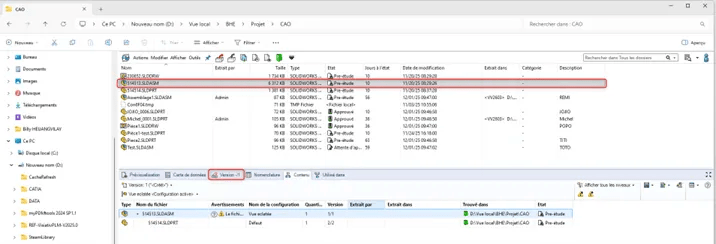
Here's an example of a file not loaded locally:
In the "Version" tab, a symbol with a "?" indicates that the file has not been loaded. To load the file, simply open it or activate Preview.
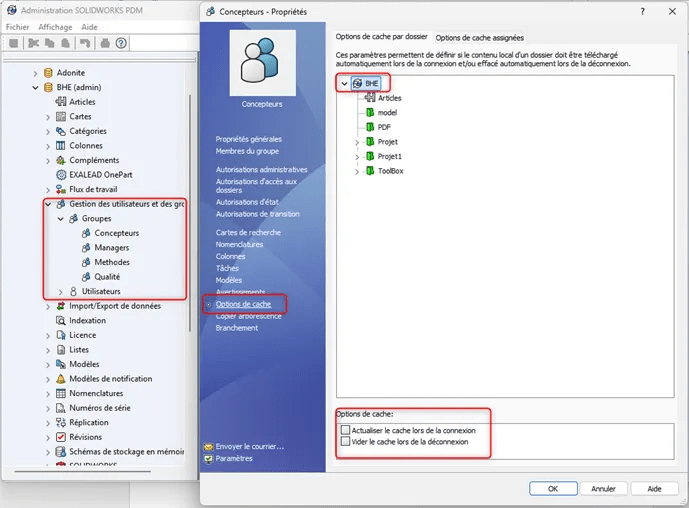
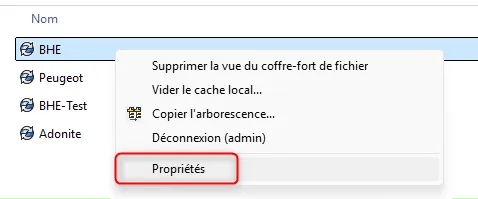
Een PDM beheerder kan de lokale cache parameters instellen voor gebruikers of groepen, die twee automatische acties kunnen activeren:
Lokale cache verversen bij inloggen: deze optie laadt de laatste versie van bestanden wanneer de gebruiker inlogt op de PDM-kluis.
-Lokale cache legen bij uitloggen: deze optie verwijdert alle bestanden in uw lokale cache (bestanden die niet zijn uitgepakt en opgeslagen op uw servers).
Deze instelling kan worden toegepast op alle PDM-kluizen of op afzonderlijke mappen.
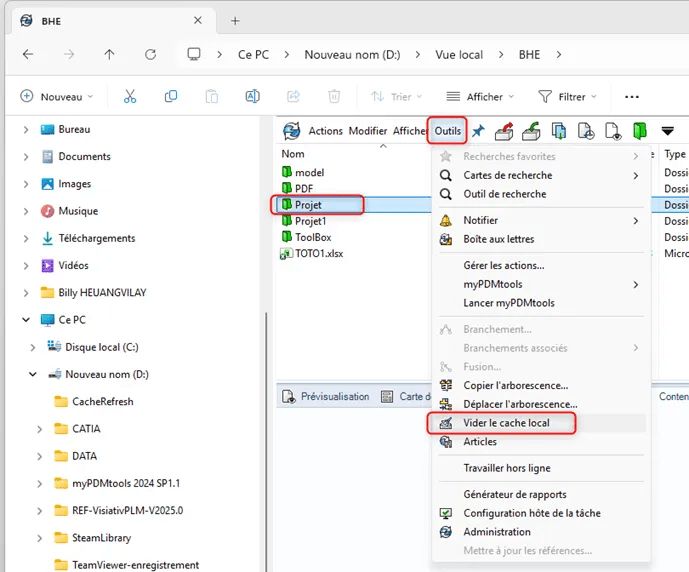
Users can also clear their cache manually:
Please note that the cache is cleared not only for the folder itself, but also for its sub-folders.
To avoid disk saturation on client machines, we recommend clearing the local cache after each project or job completion. Or, by default, once a week.
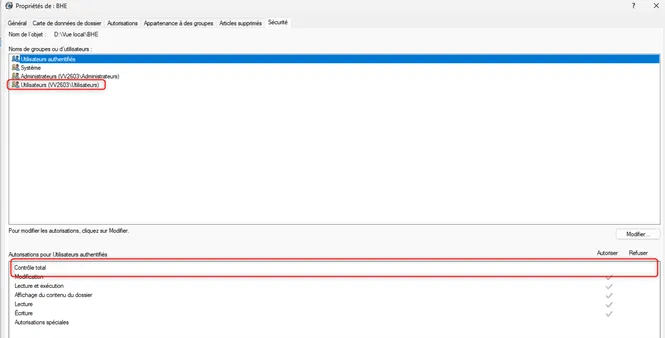
For optimum use of the local cache, we recommend giving full Windows control to the local PDM view.
This avoids the following problems
- Obtaining file or file version
- files that have been extracted/modified/archived are not taken into account
- Unable to access folders/files: crash explorer
- Copy/paste // moving or copying tree structure not working: nothing happens
- Unable to delete files/folder
 Maxime CASIER Maxime CASIER Maxime CASIER