 Maxime CASIER
 How do I activate or deactivate a SOLIDWORKS license?
Find out how to activate or deactivate a SOLIDWORKS license.
Maxime CASIER 
Problem description
The SOLIDWORKS command manager is customized for each Windows session, so it can sometimes be incomplete and customization can no longer add the desired elements.
Fix
- Close the SOLIDWORKS application
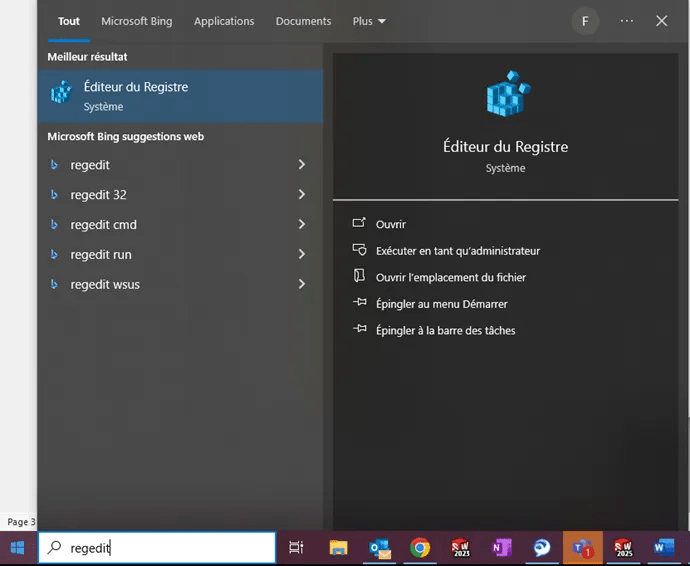
- Start the registry editor
- Type "regedit" in the Windows search bar, then enter
Browse the folders and delete the key :
HKEY_CURRENT_USER\SOFTWARE\SolidWorks\SOLIDWORKS202XX\User Interface\CommandManager
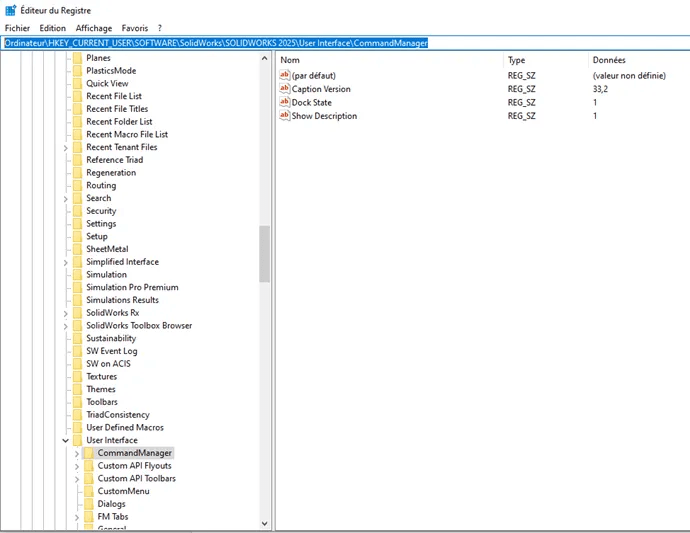
Once the SolidWorks application has been restarted, the order manager will be reset and can be configured as follows
 Maxime CASIER Maxime CASIER Maxime CASIER