 Maxime CASIER
 Where can I find installation sources for SOLIDWORKS products?
Find out where to find installation sources for SOLIDWORKS products
Maxime CASIER 
In SOLIDWORKS PDM, it is possible to create tasks directly from the administration tool.
The Tasks function allows you to configure, run, and monitor operations frequently performed on SOLIDWORKS PDM files.
Tasks are defined using add-ins developed via the SOLIDWORKS PDM APIs.
SOLIDWORKS PDM provides:
The SOLIDWORKS task add-in, which enables conversion, printing, and various SOLIDWORKS file manipulation operations.
An API allowing developers to create their own add-ins to set up custom tasks.
However, when creating a task, it is necessary to define one or more workstations responsible for its execution.
This guide provides a step-by-step approach for configuring these workstations using the SOLIDWORKS PDM administration tool. The following sections describe the procedure to follow to define the workstation(s) on which the task will be executed.
1. Create a PDM task
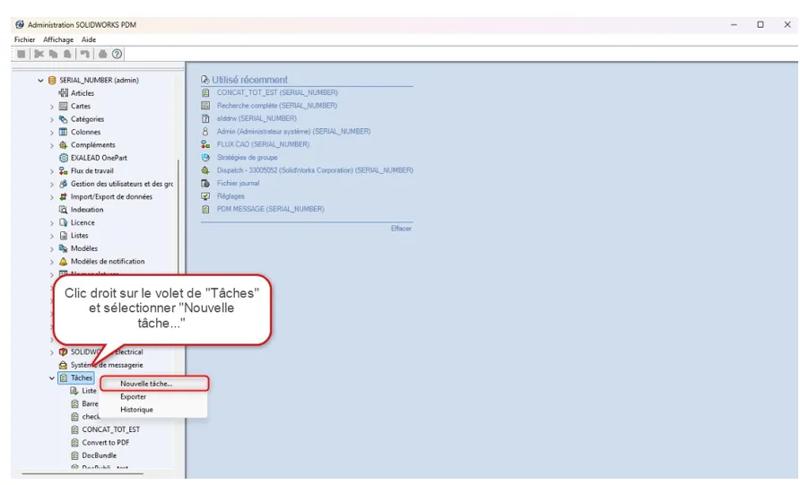
To create a PDM task, right-click on Task and click New Task.
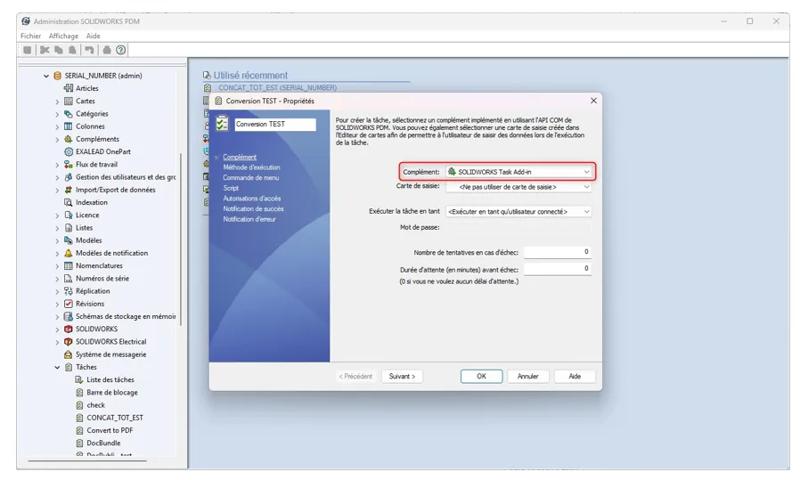
You then need to define the task name, then select the PDM add-in. Additional options will then appear in the left panel.
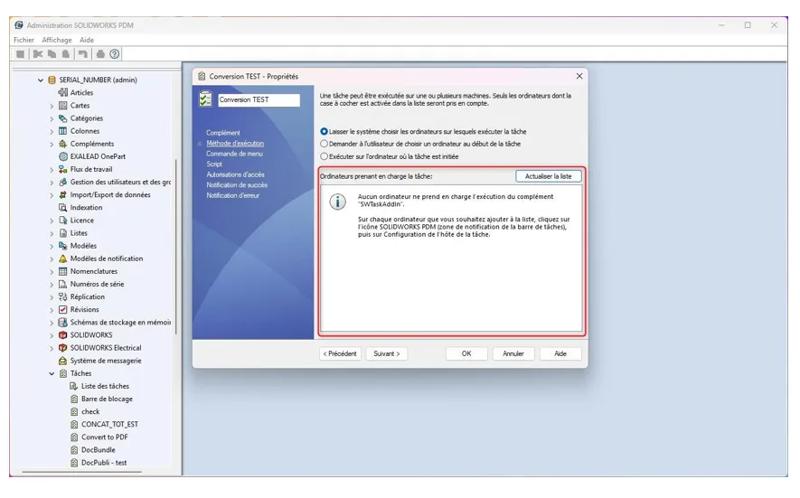
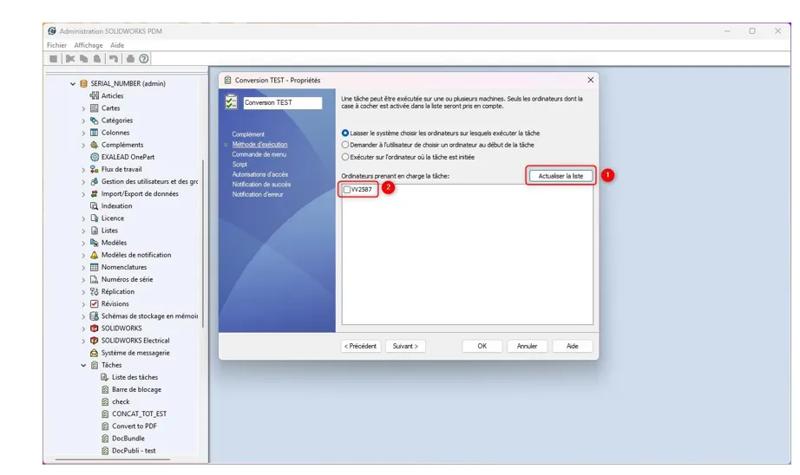
Among these options, the "Execution Method" tab allows you to define the workstation(s) that will run the task.
However, you may encounter a message indicating that no workstation supports the TaskAddin add-in (example) previously selected.
In this case, it will be necessary to configure the task host, as explained in the following section.
2. Define the task host configuration
You can use the Task Host Configuration dialog box to specify the add-ins for which tasks can be run on this computer.
To do this, go to the notification area at the bottom right of your screen, then select the SOLIDWORKS PDM icon (the blue ball). Then click "Task Host Configuration".
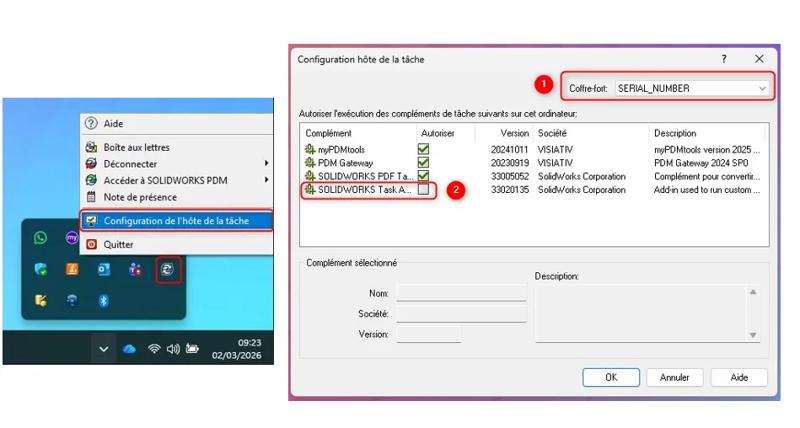
In the task host configuration, select your PDM vault from the drop-down list, then choose the add-in you want to allow to run on the workstation in order to handle tasks.
Some checkboxes may be greyed out. In this case, it will be necessary to log in to the local view of the PDM vault with the PDM admin account on the relevant workstation.
3. Defining the workstation for task handling
Once this configuration is complete, you can return to your task and refresh the list. The available workstation(s) will then appear, allowing you to select them.
All that remains is to configure the other parameters of your task.
 Maxime CASIER
  Florian MARCHAND Maxime CASIER