 Maxime CASIER
 How can I make thread representations appear in assembly drawings?
Find out how to show thread representations in assembly drawings
Maxime CASIER 
Om toegang te krijgen tot de Electrical Content Portal website, opent u de Solidworks Electrical software, gaat u naar het Help tabblad en klikt u op "Electrical Content Portal".
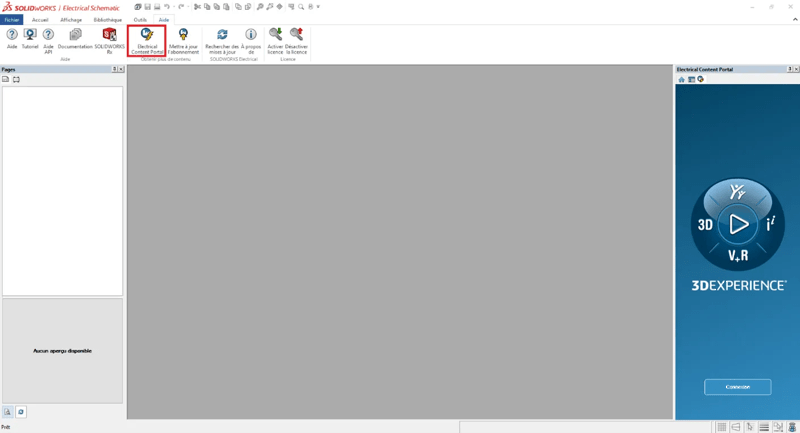
You will be asked to log in with your 3DEXPERIENCE account. If you don't have a 3DEXPERIENCE account, please click on Create an account.
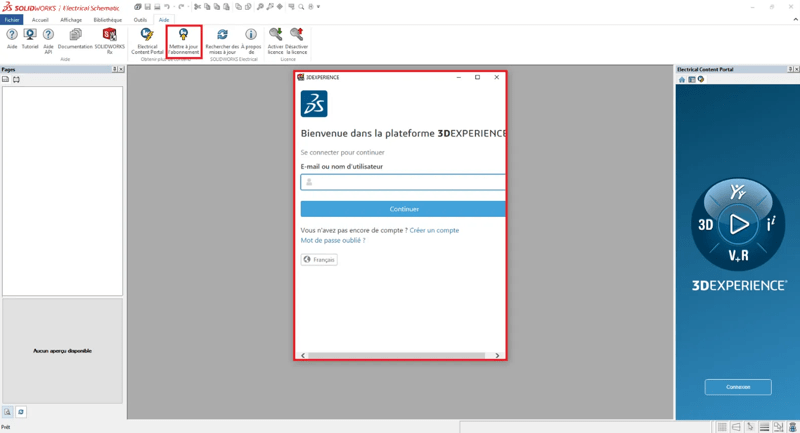
Jeśli jesteś zalogowany, ale nie możesz pobrać zawartości Gold, oznacza to, że Twoja subskrypcja na stronie Electrical Content Portal nie jest aktualna.
Aby ją zaktualizować, otwórz oprogramowanie Solidworks Electrical, przejdź do zakładki Pomoc i kliknij "Aktualizuj subskrypcję". Następnie zostaniesz poproszony o połączenie się z kontem 3DEXPERIENCE przed aktualizacją.
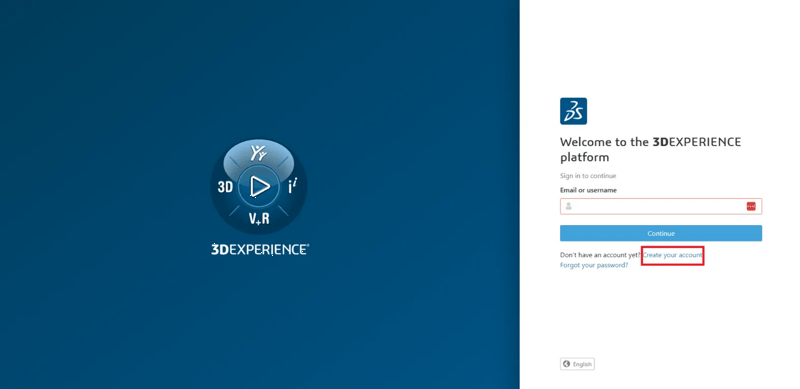
You should now be able to download Electrical Content Portal Gold content. If this is still not the case, please open a request on our myCAD by visiativ support platform by logging into your Visiativ account and we'll make sure it's updated.
Maxime CASIER Maxime CASIER Maxime CASIER