 Maxime CASIER
 Local cache management - SOLIDWORKS PDM
The SOLIDWORKS PDM local cache is a space reserved for the PDM safe. It is present only on client workstations and is different for each machine.
Maxime CASIER 
1.1 What are the errors
1.1.1 Types of errors
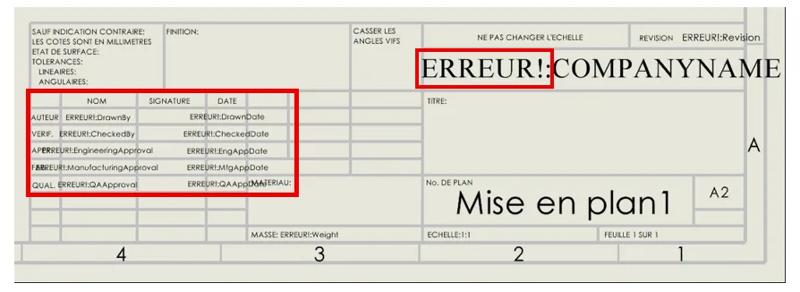
The error looks exactly like: (ERROR!: Property name)
1.2 Why they appear
1.2.1 Main causes
It appears because there is no name assigned to the property.
1.3 How to remove them
1.3.1 Methods and solutions
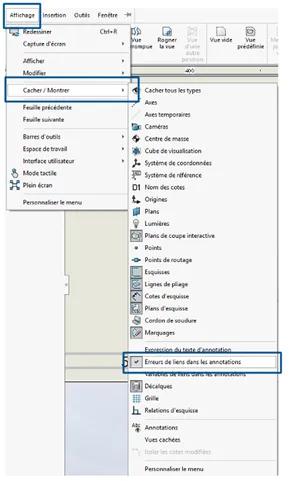
If you do not want them to appear, go to View > Hide/Show and uncheck "Link errors in annotations".
If, in a drawing view, the message "ERROR!:" appears, solutions exist to remove it.
For the first solution, go to View, then Hide/Show, and deselect the option "Link errors in annotations".
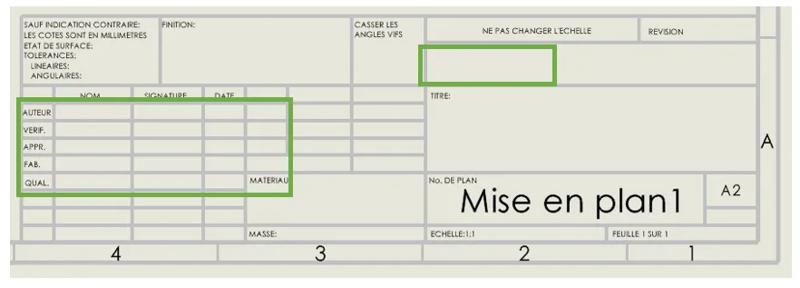
Here is the result you should obtain:
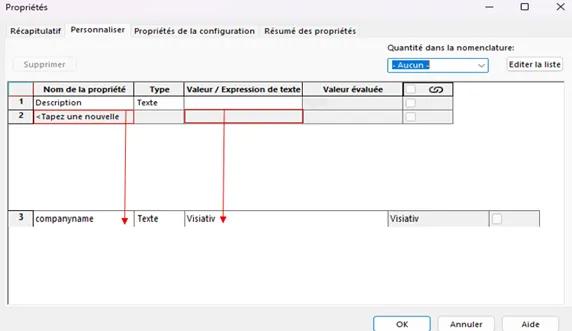
For the second solution, we will add a property to "COMPANYNAME".
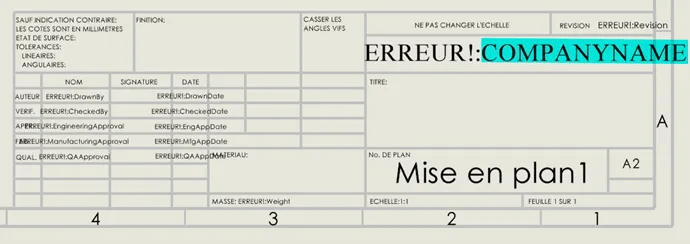
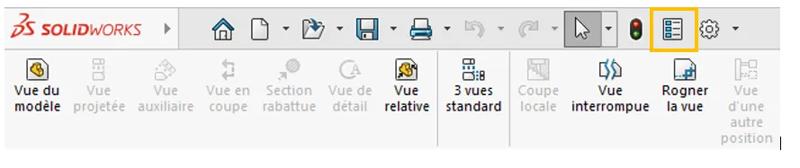
Then click on the Property icon.
In the Properties section, enter a "property name" and then type a "value or text expression".
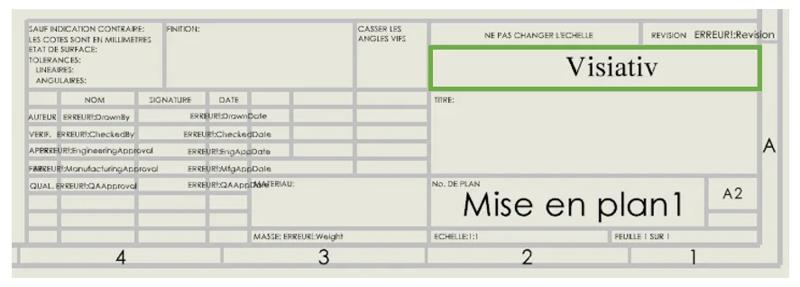
Here is the result you should obtain:
 Maxime CASIER Maxime CASIER Maxime CASIER