 Maxime CASIER
 SOLIDWORKS tutorial: create 2 symmetries simultaneously
Discover how to create 2 symmetries simultaneously in SOLIDWORKS
Maxime CASIER 
During certain installation attempts or when modifying the installation of the SOLIDWORKS SolidNetWork licence manager, you may encounter the following error: Failed to get the string for the Localized Property: STR_SWINST_ACTIVE_SW.
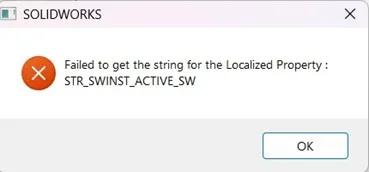
This message may appear if SOLIDWORKS is currently running on the workstation where you are trying to install the SOLIDNETWORK licence server.
The solution is to close SOLIDWORKS and relaunch your installation, which will then complete without generating an error.
Maxime CASIER Maxime CASIER Maxime CASIER