 Maxime CASIER
 How to borrow a SOLIDWORKS licence

I. SOLIDWORKS Licence Manager
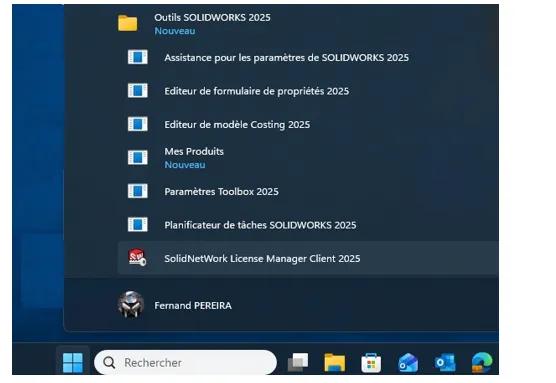
There are several ways to launch the SolidWorks licence manager (also called the Solidnetwork License Manager Client):
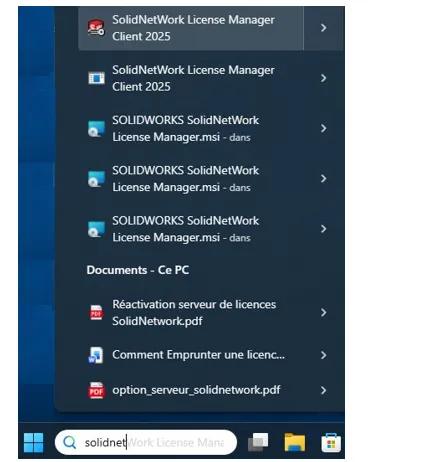
By typing "solidnet" in the Windows search bar
1. Emprunter une licence
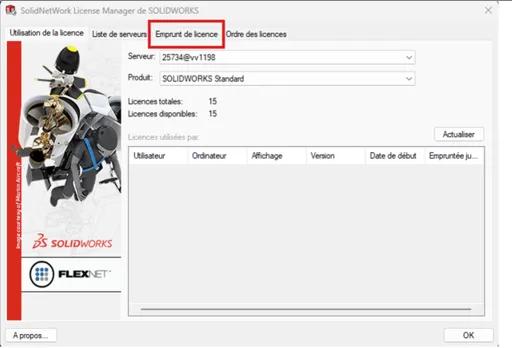
Select the "Borrow licence" tab
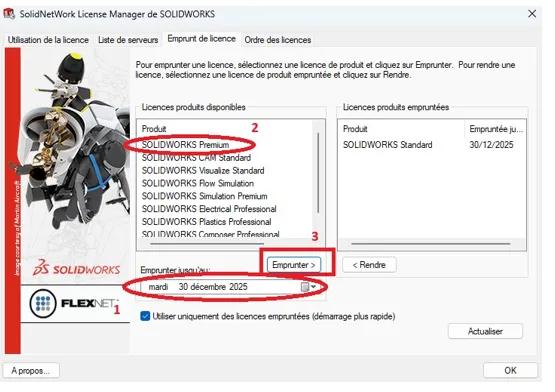
Select the return date by adding 1 or 2 days.
It is preferable to return a licence early rather than late. That is why you should add 1 extra day.
Select the module to borrow. In our case "SolidWorks Standard".
If the manager has SolidWorks "Premium", "Pro" and "Standard", a window will prompt you after validation to choose the type of licence.
2. Returning a licence
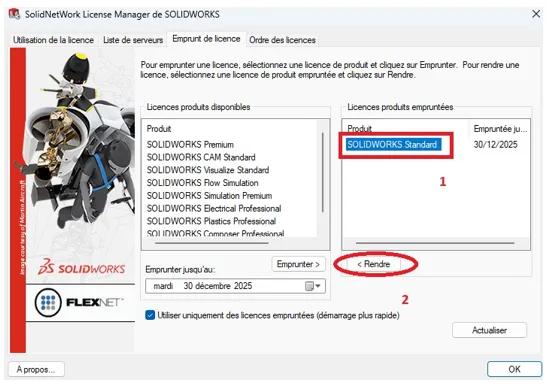
Back at the company, the licence must be returned, preferably before the deadline.
Select the borrowed module "SolidWorks Standard", then click the "Return" button.
3. Practical information
A licence borrow cannot exceed
30 days
. This is a limit set in the code.
Borrow only the necessary module (no more).
Allow a generous borrowing period.
Always borrow the licence over a wired network and return it over a wired network.
The borrowing mechanism writes part of the information on the client workstation (borrowed module - date) but also on the server (who borrowed it). This is how all clients can have the information.
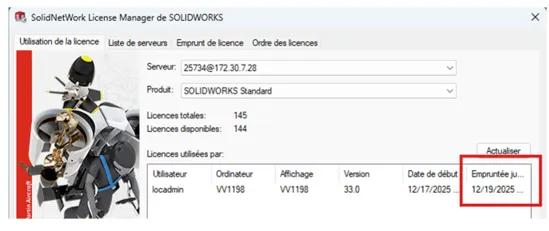
Licence borrowing is based on a snapshot of the configuration. That is why you must borrow and return the licence in the same context. Do not modify the workstation's identity in the IT sense, whether it is the name, IP address, or anything else.
If the client workstation is also a licence server, make sure to use the client manager to perform the borrow and not the server manager.