Published on October 5, 2026 , by  Roman Fradin
Roman Fradin Last edit on October 5, 2026
How to activate and deactivate a myCADtools licence
Learn how to activate and deactivate your myCADtools licence in a few simple steps using the Windows search bar and the "registration" tool.

Licence activation procedure
In the Windows search bar, type "registration".

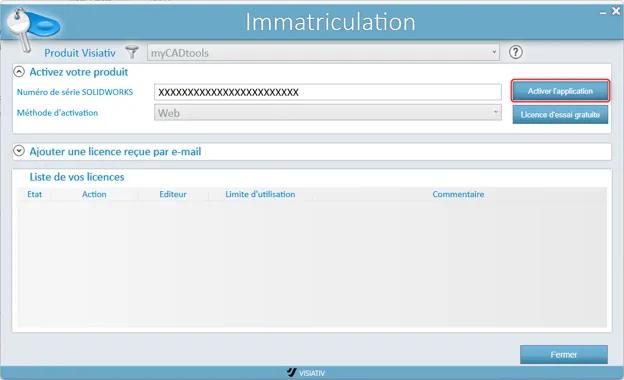
Click the "Activate the application" button.
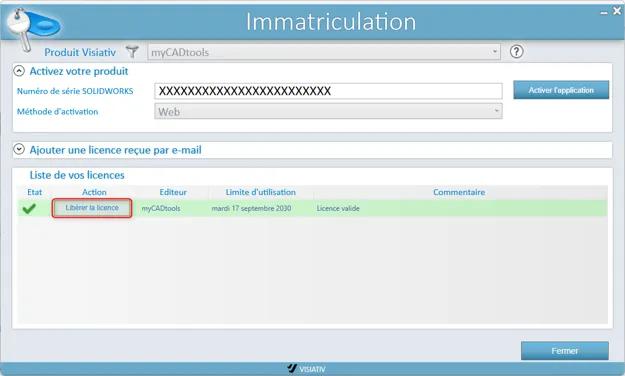
After activation, a line appears in the licence list with a green ✓, indicating that the licence is properly activated and valid.
Licence deactivation procedure
In the Windows search bar, type "registration".
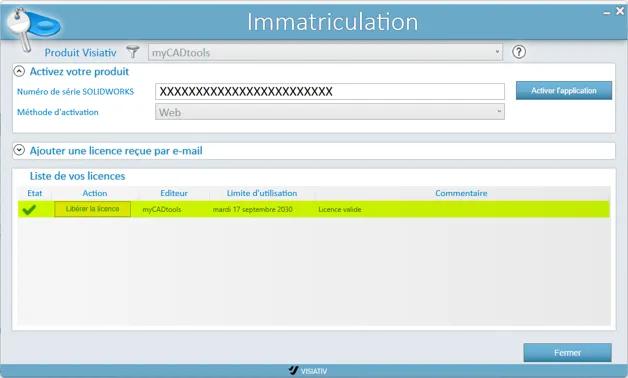
Click Release the licence to deactivate the licence.