Published on October 1, 2026 , by  Roman Fradin
Roman Fradin Last edit on October 1, 2026
How to move a DriveWorks fixed licence
Learn how to move a DriveWorks fixed licence in 4 simple steps using the License Management application, with a limit of 2 returns per 24-hour period.

Step 1
On the relevant workstation, open the DriveWorks License Management application.

Step 2
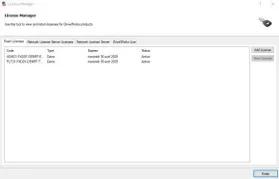
Under the Fixed Licenses tab, the fixed licences installed on the workstation are displayed.
Step 3
Select the relevant licence and click View License.

Step 4
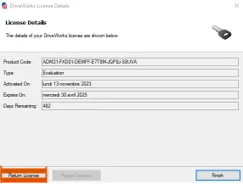
In the new window, click Return License.
⚠️ Warning: A DriveWorks licence can only be returned a maximum of two times within a 24-hour period.