Maxime CASIER
 How do I install my LogoPress software?

Installatiebronnen downloaden
Źródła instalacji oprogramowania LogoPress można znaleźć bezpośrednio na stronie wydawcy LOGOPRESS
Na pasku menu wybierz przycisk "Szybki dostęp".

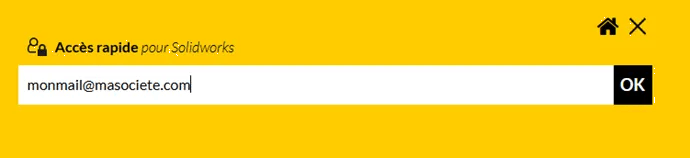
Enter the e-mail address linked to your contract
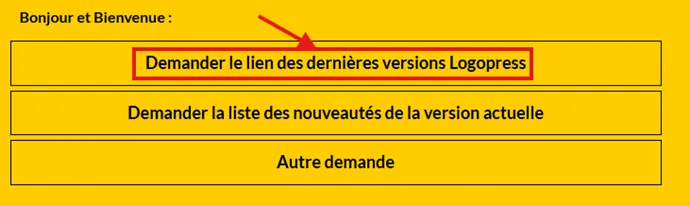
Select "request link to latest Logopress versions".
You will receive an e-mail with a download link and the complete installation procedure.
License application and set-up
Once the software has been installed, start SOLIDWORKS, then in the Tools, Add-ons menu, make sure the add-on is active.
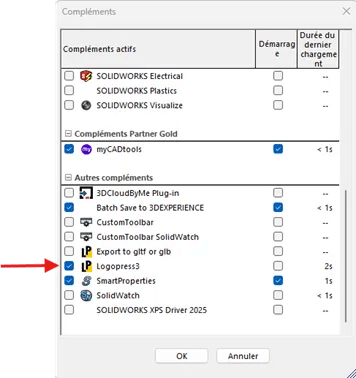
In the SOLIDWORKS order manager, you'll notice that all LogoPress functions are grayed out, as the license has not been set up.

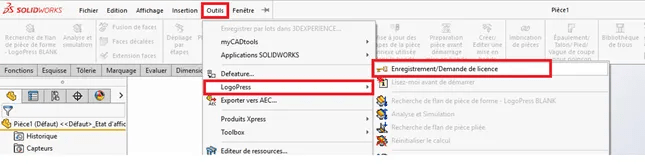
Go to the Tools menu, LogoPress and select "Register/Request license".
Fill in the application form
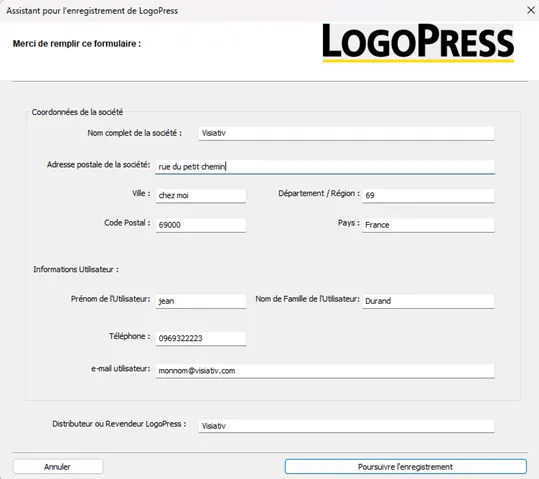
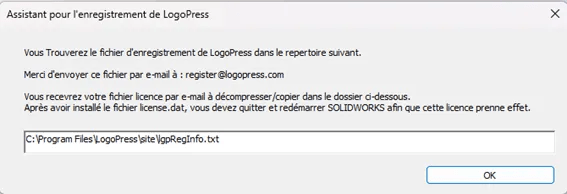
Send the lpgRegInfo.txt file to the editor by e-mail, and when you receive the license file, simply place it in the folder indicated.