Update myCADtools 2026
Find out what's new in the new myCADtools 2026 update - download it now!
January 14, 2026
 Maxime CASIER
I. SOLIDWORKS Licence Manager
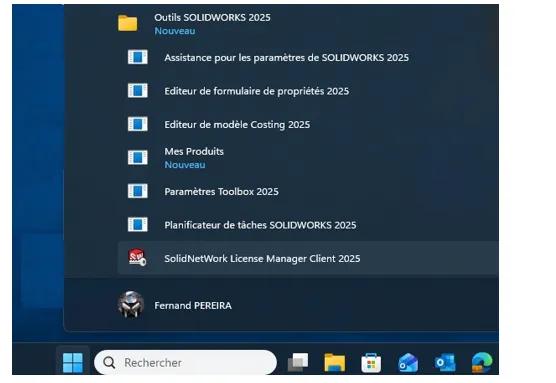
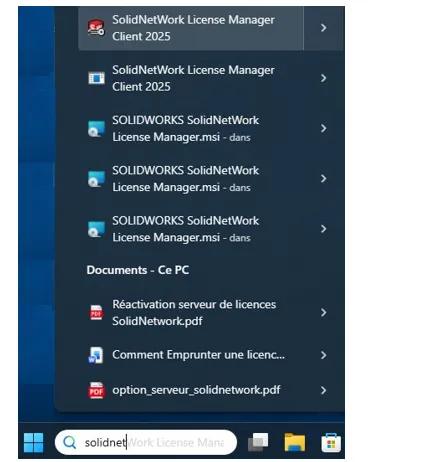
There are several ways to launch the SolidWorks licence manager (also called the Solidnetwork License Manager Client):
From the Windows "Start" menu, then "SolidWorks XXXX Tools", then "Solidnetwork License Manager Client"
2. By typing "solidnet" in the Windows search bar
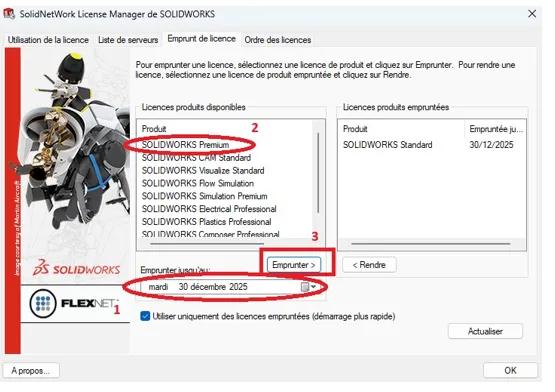
1. Borrowing a licence
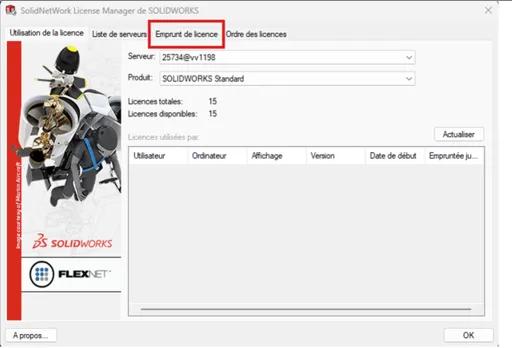
3. Select the "Borrow licence" tab
Define the task host configuration
You can use the Task Host Configuration dialog box to specify the add-ins for which tasks can be run on this computer.
To do this, go to the notification area at the bottom right of your screen, then select the SOLIDWORKS PDM icon (the blue ball). Then click "Task Host Configuration".
In the task host configuration, select your PDM vault from the drop-down list, then choose the add-in you want to allow to run on the workstation in order to handle tasks.
Some checkboxes may be greyed out. In this case, it will be necessary to log in to the local view of the PDM vault with the PDM admin account on the relevant workstation.
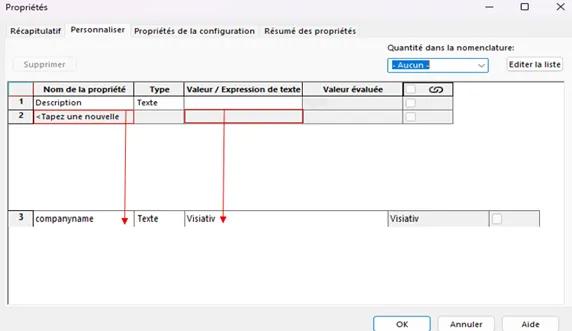
Here is the result you should obtain: